


















HighLevel Creator Studio: AI Content Creation Inside GHL
HighLevel Creator Studio: AI-Generated Content Within the HighLevel Platform
Agencies and consultants continue to exit the HighLevel platform to design content for their clients. From the adjustment of a logo to a set of social posts or videos, the process involves going to Canva, a video editor, or any other software for designing. Graphics files will move across different applications. Brand colors will go missing. The generated assets end up in a platform which is separate from the one containing the client’s calendar, pipeline, and social planner.
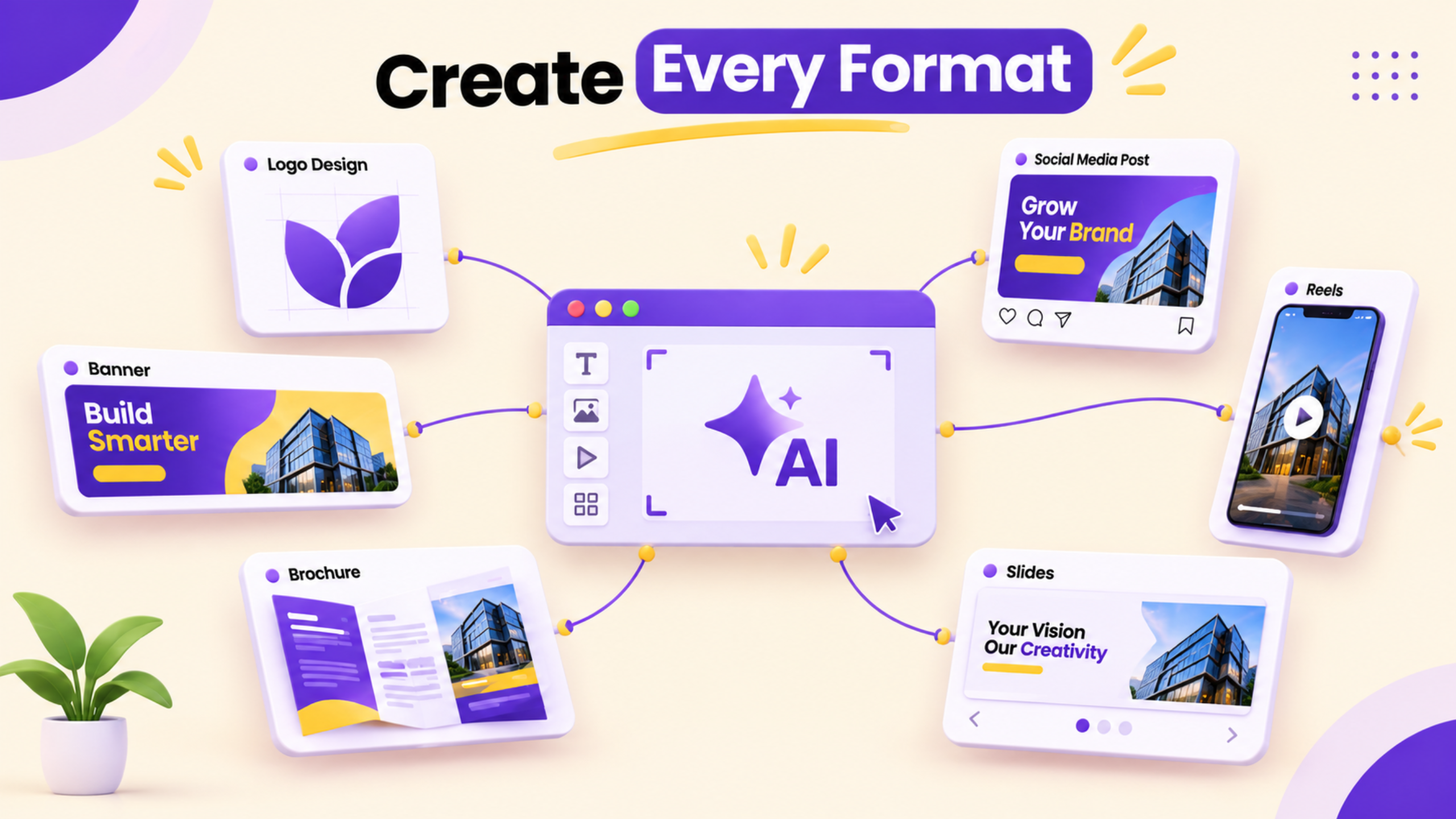
However, HighLevel Creator Studio turns this approach around. Announced at LevelUp 2026 and launched shortly after, HighLevel Creator Studio is a native AI content creation studio that allows the creation and editing of logos, social posts, reels, banners, brochures, slides, images, and video ads within HighLevel. Everything starts with writing a prompt or selecting a template, after which you further edit your content by adding more prompts or manually modifying it.
What Creator Studio Really Does
Creator Studio is located in the AI category of the platform. You state your requirements-a logo for a plumbing company, an Instagram carousel for a food special, a reel for a coaching service, a banner for a Facebook advertisement-and the AI generates a design. You can use templates to get a quick start on a particular format. After the draft is ready, you will be able to customize it by changing colors, text or layout. You can also ask for a completely different style using another prompt.
Creator Studio supports outputs such as logos, static social media posts, reels, banners, brochures, slides and video advertisements. The goal is to meet all of the usual needs that require you to change a tool. Since Creator Studio is a part of HighLevel, the generated material can easily be moved from there into Social Planner, email builders, funnels and ads.
Access is part of the AI pricing model as well. Users from the agency side usually get Creator Studio via fair-use assistant access. The client sub-accounts can also get this via the AI Employee pricing model (as well as the lower-priced startup versions for the Founder Plan agencies) or even pay per use. Some of the advanced versions have been mentioned in the Founder Plan.
The Friction It Eliminates for Agencies

Every “quick graphic” request would have to stop the delivery process. Time was spent on design tasks in third party software. Clients had to wait. Consistency across brand materials meant using outdated files shared by all. Creator Studio keeps the request, creation and optimization process within one login session. An account manager can create the initial version of the artwork during the phone call with the client or straight after a successful pitch. The creative will remain more aligned with the CRM data and the marketing calendar. About Us.
Creator Studio will not make the processes of specialized design and video production workflows obsolete. There are more complex brand systems, long form videos and premium motion graphics that require a particular tool and people. However, in terms of the high amount of social media, advertising and lightweight promotional artwork that is being produced every week, Creator Studio eliminates a significant amount of friction.
How to Use It in Practice
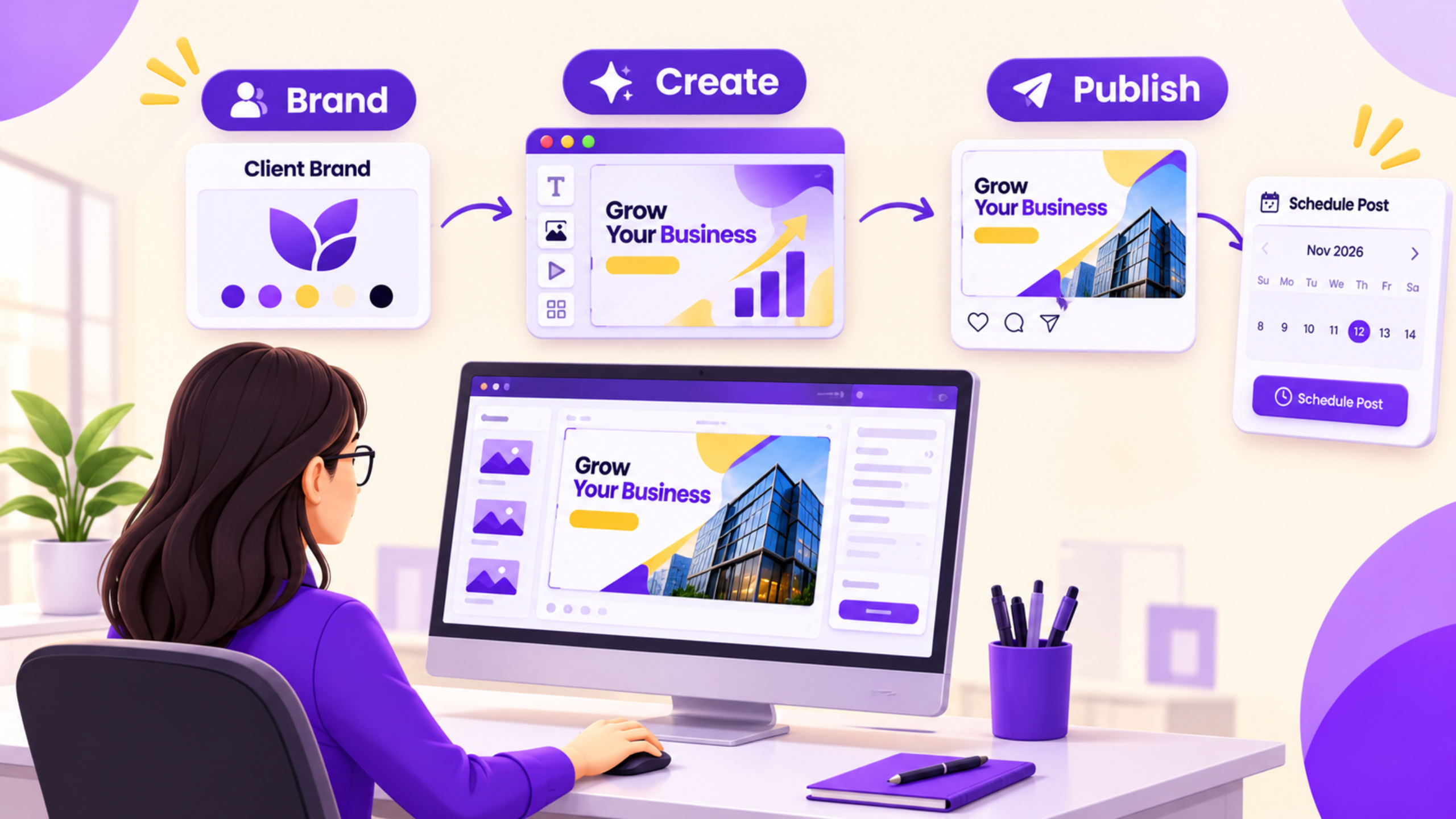
Access Creator Studio from the AI portion of the sub-account. Select a template which corresponds to the desired format or begin with a blank prompt. Provide a concise prompt including business name, offer, tone, key text, preferred colors or any particular style you want. Create the initial version. Evaluate and polish further with subsequent prompts (“make the background darker”, “use the brand color”, “make the headline shorter”) or change specific parts. Save or download the final asset in the formats needed for distribution across chosen channels.
In case of ongoing work for clients, collect a small collection of tried-and-tested prompts and templates. Have brand color codes and logos on hand for each following generation to remain brand consistent. Transfer the generated content to Social Planner or the respective campaign.
Practical Use Case
A consultant runs the social media account for an HVAC company in the area. Every single time a seasonal offer was needed, the consultant had to spend some time using Canva and sending the offers back and forth with the client through e-mail. Today, the consultant goes to Creator Studio, picks one of the social media post templates and asks the AI: "HVAC fall maintenance offer, clean blue and white, bold price, brief call to action". The first design pops up in less than a minute. Two small edits finalize the title and colors. The images are scheduled in the Social Planner later that day. The client receives the files in the same system where he checks reports. Design takes minutes and stays aligned with the rest of the social media posts. The same process can be used for coaching videos, restaurant banners or logo designs for a new product line.
Old Way vs Creator Studio
Task | Before Creator Studio | With Creator Studio |
Client social graphic | External design tool + file hand-off | Prompt or template inside HighLevel |
Quick video ad or reel | Separate video editor | Native generation and refinement |
Logo variation for campaign | Designer or Canva session | AI generation + manual polish |
Asset storage and reuse | Scattered downloads | Inside the same HighLevel workspace |
Limitations & Checks Prior to Full Deployment
Creator Studio is currently up and running but is yet to be fully developed. The effectiveness of the output is dependent on the accuracy of the prompt and the sophistication of the request. Always double-check for brand accuracy, spelling, and any legal statements prior to publishing. Verify whether the models and limitations of their use will vary between agency and client account. High production volume may require the use of other external resources or the services of designers.
Frequently Asked Questions
Is Creator Studio a complete alternative to Canva?
This feature is designed for logos, social media posts, reels, banners, slides, and video ads within HighLevel. However, complex and custom designs will require special software.
Do clients have automatic access?
The agency accounts often have access on a fair-use basis, whereas the client sub-accounts will require the AI Employee plan or pay-per-use plan.
Can I manually edit AI outputs?
Yes, you can manually edit or fine-tune AI outputs with more prompts and manual editing.
Conclusion
The HighLevel Creator Studio allows logos, posts, reels, banners, and video ads creation to be part of the same system where the client’s CRM, calendars, and campaigns are managed. This way, agencies save time and improve efficiency while not losing quality during review. The Funnel Pandit allows agencies and consultants to create workflows in Creator Studio, use prompt libraries, and keep creative work of clients on HighLevel. Get more information at https://www.funnelpandit.com or start using the referral link https://www.gohighlevel.com/pankaj-sharma.