





















HighLevel Meeting Room: AI Summaries & Breakout Rooms
HighLevel Meeting Room: Native Video with AI Summaries
Although agency owners and coaches continue to jump back and forth between the HighLevel Calendar and individual video software tools for every client meeting, the appointment on HighLevel's calendar, the meeting itself on Zoom or Google Meet, and the notes elsewhere. For follow-ups, users will be required to manually copy links, search for recordings and rewrite action items.
HighLevel Meeting Room eliminates this problem. It is a native video conference tool with personal rooms that never go away, instant meetings, calendar integration with meeting links, recordings, transcriptions labeled by speakers and AI summaries of meetings. Hosts can use breakout rooms to divide large meetings into smaller groups. Introduced as part of October 2026 LevelUp updates, Meeting Room can be found in the main navigation (usually under Meeting Room or corresponding member area) and is available for those accounts where the feature is enabled. Book a call.
HighLevel Meeting Room Features
Each and every user will be able to create their own meeting room with the help of a recurring link. Instant calls do not require any schedule. The calendar can produce unique Meeting Room links so that the clients can join using the confirmation email or SMS. Clients don’t have to have a HighLevel account.
While inside the call one can enjoy high-quality video and audio calls, screen sharing, live chat, assigning co-hosts, and microphone/camera/screen share control. You will also have waiting rooms and passcodes for secure access. Reactions, raising hands, and different layouts will help to collaborate better. Logged in users will be able to choose their backgrounds, and you will also have picture-in-picture mode.
Post-call, the Meeting History includes the recording (if it is enabled), transcripts with speakers tagged, and other information about the meeting participants. An AI summary can be generated based on the transcripts, which highlights some important aspects, such as action items and decisions made.
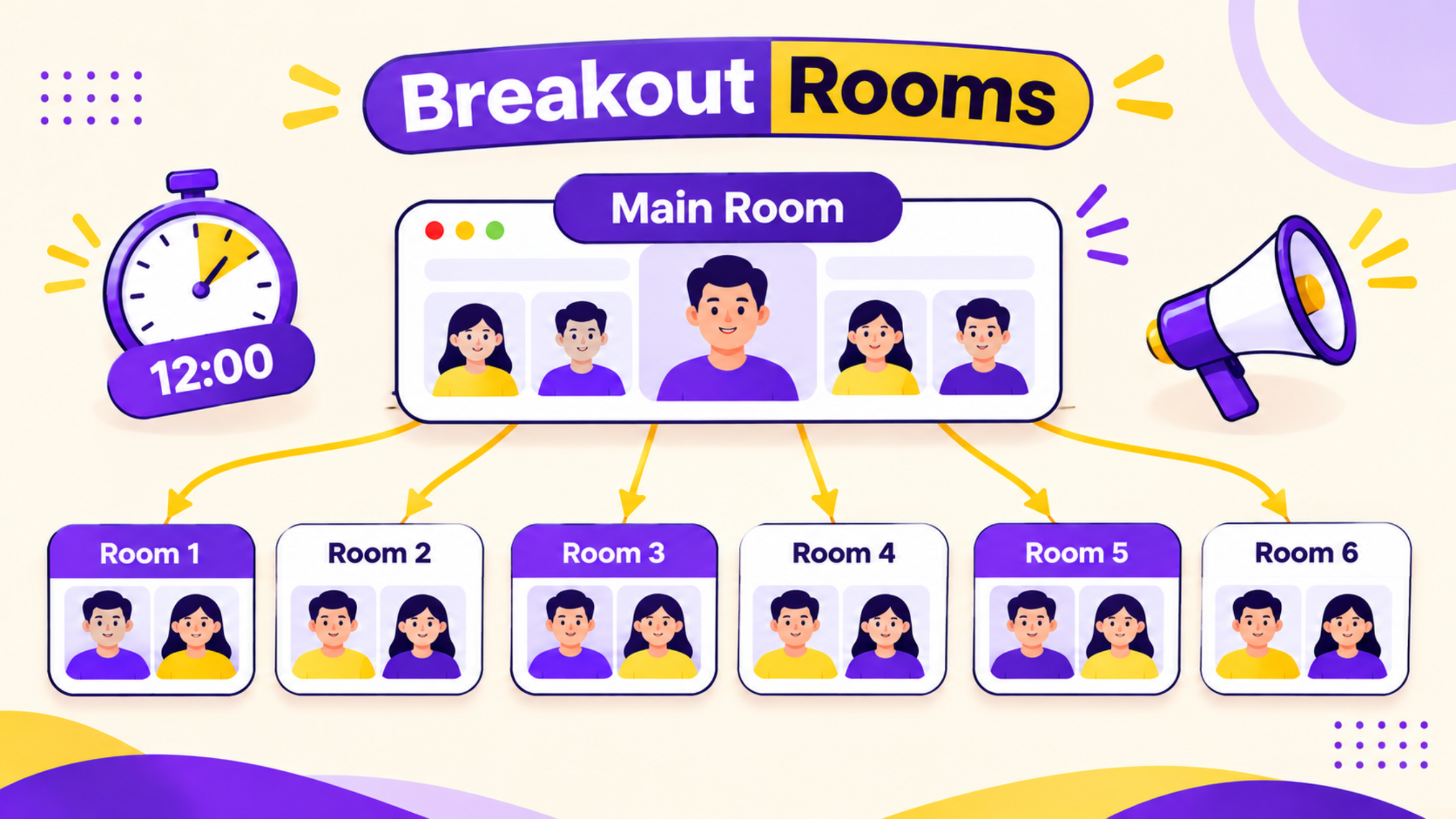
Breakout Rooms offer additional capabilities. The Host can set up to 100 separate rooms for one meeting, assign participants automatically or manually or allow them to choose. Moving participants between the rooms, joining a room, broadcasting a message to all rooms at once, setting the timer, extending the meeting and automatically bringing back all participants to the main room – all those actions are available to the Host.
What it Solves for Agencies & Coaches
Different video applications cause hassle. Clients do not remember what link to click on. The recordings end up in another dashboard. The summaries have to be typed or copied into the HighLevel notes. Group coaching and training calls require another platform that provides break out rooms.
Meeting Room consolidates the whole process of booking, joining, recording, transcribing, AI summary in one application - HighLevel. Tasks can be created directly from the meeting or reminders sent in the follow-up message. Breakout rooms help conduct group work in case of community or coaching programs within the same platform. About us.
Using It - Step By Step
Enter the Meeting Room from the sub-account and go to the My room section. Create your room if you do not have it. You can copy the link or set it up in the calendar settings to automatically generate Meeting Room links when creating new appointments. If you want to initiate a meeting on the spot, just start it directly and share the link.
In the middle of the call, make use of the toolbar for screen sharing, chatting, adding co-hosts and participants control options. Record the call and transcribe it if you need to. At the end of the meeting, enter Meeting history, find the session and get an AI generated summary from the transcript. Go through key takeaways and action items and generate tasks or follow-ups from the contact record.
If you need to conduct breakouts, go to Breakout Rooms from the meeting toolbar when the session is going on. Pick how many breakout rooms you need, choose how the rooms will be assigned and name them if you want to. You will also have timer and broadcast options while the groups are working.
Use Case Example for Practical Agency Use
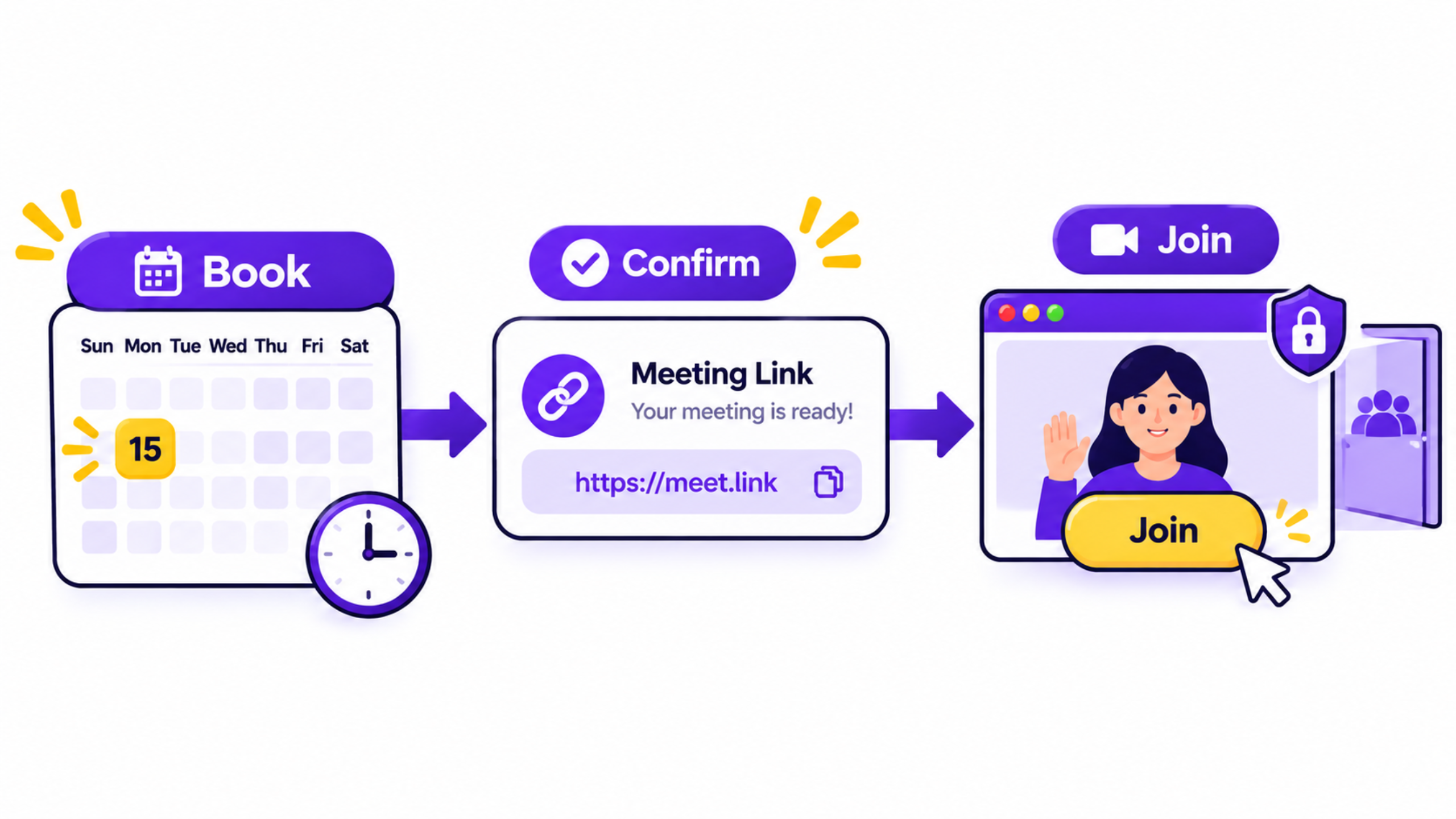
The consultant conducts group coaching sessions with a fitness coaching client every week. In the past, the calls were done via Zoom, but they required manual notes and lacked the ability to separate clients for pairing sessions. Now, the consultant creates a recurring calendar event using Meeting Room links. The clients can attend using the same branded confirmation link they usually use. During the session, the host creates six breakout rooms and automatically separates the clients in pairs, using a 12-minute timer. After the call is done, the AI summary includes all of the most important commitments and actions. The consultant copies them into the contacts' notes and initiates a follow-up sequence.
Old Way vs New Way
Task | Before Meeting Room | With Meeting Room |
Client joins a booked call | Separate Zoom/Meet link | Unique or permanent Meeting Room link from calendar |
Capture decisions and next steps | Manual notes or external AI tool | AI summary from speaker-labeled transcript |
Run small-group work | External platform with breakouts | Up to 100 breakout rooms inside the same meeting |
Store recording and notes | Different dashboard | Meeting History tied to the HighLevel account |
Limitations and Checks Before Using it Entirely
Check whether the Meeting Room is visible and active within your sub-account. The labels within the interface may continue to read "Beta". Recording, transcription, and AI summary may depend on your plans and region-specific settings. Guest joining is optimized for convenience; however, check the join process in the device that your clients will use. The limitations of breakout rooms along with controls need to be checked directly. For important sales or highly regulated industries, check the settings for consent and data retention first.
Frequently Asked Questions:
Can users attend without having a HighLevel login?
Yes, users can attend using the meeting link. You don't need an account to do so.
Is the summary generated through the AI feature automatically?
No, it is generated manually by you from the transcript. It captures takeaways and action items.
How many breakout rooms can I set up for my users?
You can create up to 100 breakout rooms in one single meeting.
Conclusion:
HighLevel Meeting Room integrates video meetings, recordings, transcripts, AI meeting summaries, and breakout rooms in one place that already has your calendars and contact list. Agencies and coaches have a chance to avoid context switching and follow-up near the time of communication. Funnel Pandit will help the agencies and consultants to set up HighLevel Meeting Room integration with their calendar and develop efficient post-meeting workflows. Get more information at https://www.funnelpandit.com or use the referral link https://www.gohighlevel.com/pankaj-sharma to implement native meetings for your clients.